
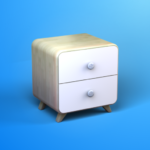








Moblo is a practical 3D interior design app that helps you plan room layouts, arrange furniture, and explore creative decorating ideas. Whether you want to redesign a bedroom, living room, or another space, the app provides useful tools for turning your ideas into visual designs. With customizable furniture, different materials, color options, and realistic 3D previews, you can experiment with layouts and find a style that suits your preferences.
SUPPORT FOR CREATIVE INTERIOR DESIGN
Bring your interior design ideas to life with tools that let you plan and visualize different arrangements. Moblo helps you experiment with furniture placement, room layouts, and decorative elements while exploring possibilities before making changes to your actual space. Its 3D design features make it easier to understand how different pieces may look together.
Start by creating a design concept for your room, then add furniture and arrange it in suitable positions. You can experiment with items such as tables, chairs, and other furnishings while adjusting their appearance to match your vision. Explore different materials, dimensions, and colors to create a design that reflects your personal style. Viewing the arrangement in 3D can also help you evaluate the overall layout and make adjustments as needed.
USE READY-MADE FURNITURE AND DESIGNS
Moblo offers furniture models and design elements that can help you get started without building everything from scratch. Browse the available options, choose items that suit your project, and arrange them according to the dimensions and layout of your room. These ready-made components make it easier to test different interior design ideas and develop a plan that works for your available space.
You can explore various furniture styles and combine different elements to create a personalized layout. Adjust supported dimensions, change colors, and modify individual components to suit your requirements. Whether you prefer a simple, modern arrangement or a more decorative interior, these customization options give you greater flexibility when planning your space.
IMPRESSIVE 3D VISUALIZATION
One of Moblo’s useful features is its 3D visualization capability, which allows you to examine your design from different angles. Instead of relying only on a flat drawing, you can explore the arrangement in a more realistic three-dimensional view. This makes it easier to assess furniture placement, understand the relationship between objects, and identify areas that may need improvement.
Rotate your view, inspect the room layout, and make adjustments to your design as you go. By reviewing your ideas from different perspectives, you can compare possible arrangements and develop a clearer picture of how your planned interior might look.
CUSTOMIZABLE INTERFACE AND DESIGN OPTIONS
Personalize your design experience by exploring the available interface settings and visual options. Moblo provides tools that let you adjust furniture styles, colors, materials, and other supported design elements to match your preferences. Before settling on a final layout, consider the room’s dimensions, intended use, and overall theme.
Experiment with different combinations until you find a design that feels right for your space. Whether you are planning a small room makeover or exploring ideas for a larger interior project, Moblo offers a convenient way to visualize layouts, test creative concepts, and organize your design ideas in one place.


Comments (0)
No comments yet. Be the first!